


01 / 03
Every customer, at the right stage
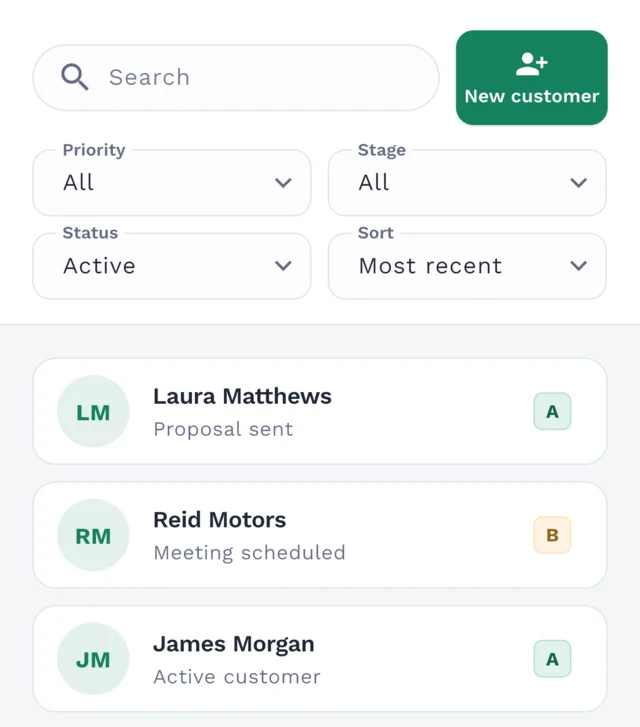
Organize customers by stage and priority, find them with search and filters, and archive those you no longer need in your active list. You define the stages.
Move on from scattered notes and spreadsheets. Bring your calendar into Clilot to plan your day, week and month, manage meetings and see where every customer stands.
Create your free account. Use Clilot in your browser or download the app.
See how it works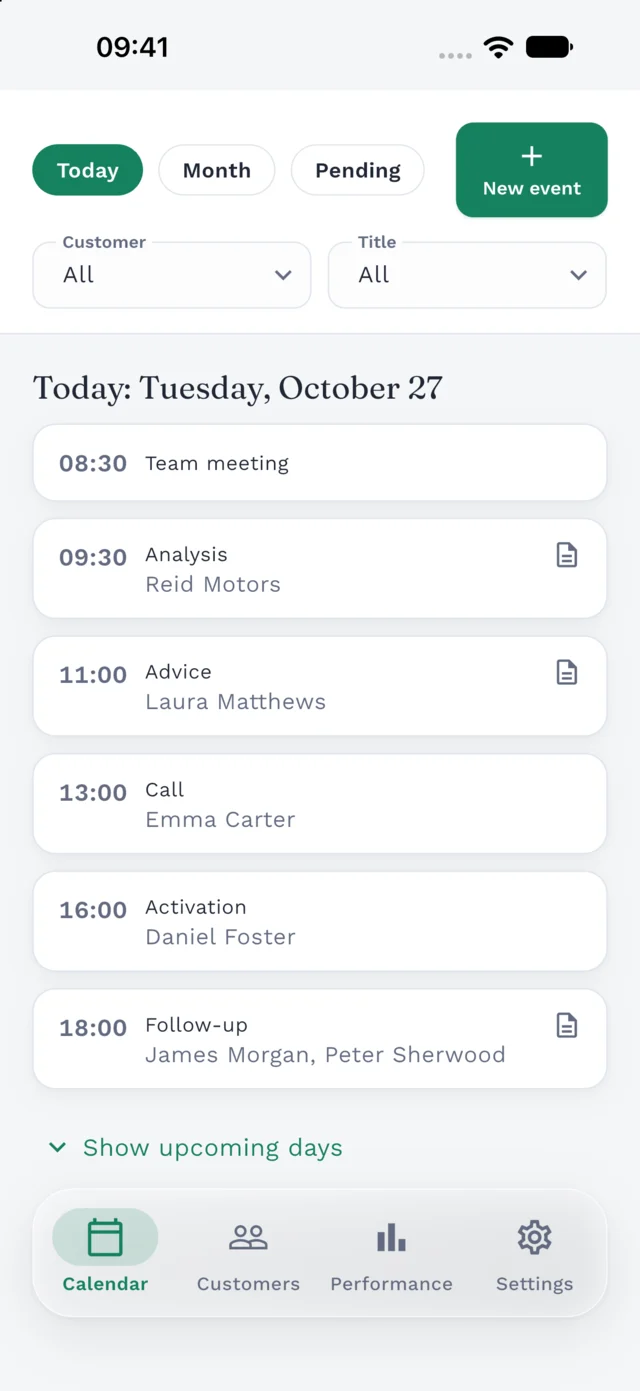
Customer details and a calendar that work together. From the first conversation to your next appointment, everything is where you need it.
Organize customers by stage and priority, find them with search and filters, and archive those you no longer need in your active list. You define the stages.
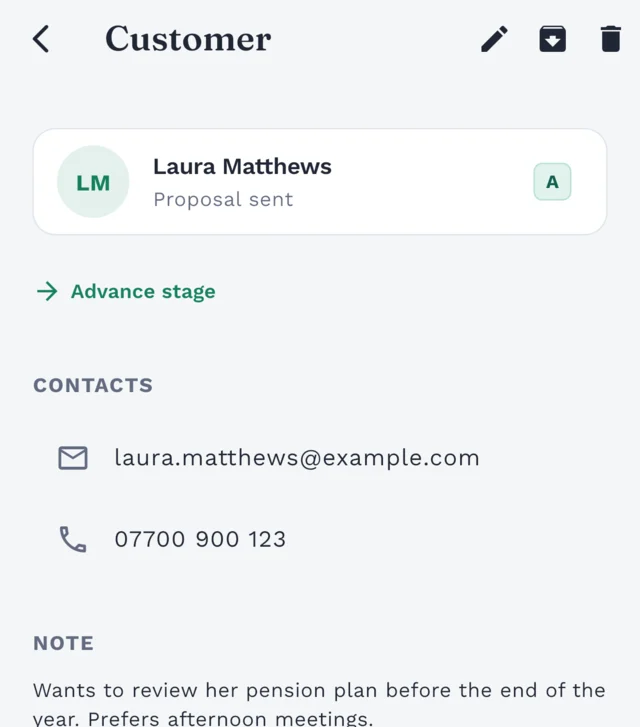
Each customer's profile brings together phone numbers, emails, notes and upcoming events. Pick up any conversation knowing where you left off.
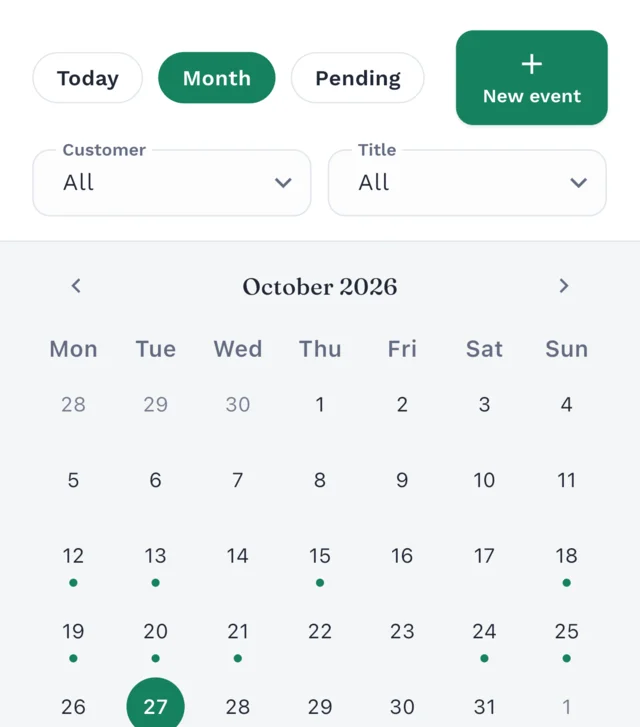
Plan calls, meetings and tasks linked to one or several customers. Switch between the daily, monthly and unscheduled views, and repeat events that happen regularly.
The performance chart shows how your customers are spread across stages and priorities, alongside this week's events and appointments still to schedule. It also highlights your priority customers (A and B) who have neither an upcoming nor an unscheduled event.
Start planning your follow-ups for free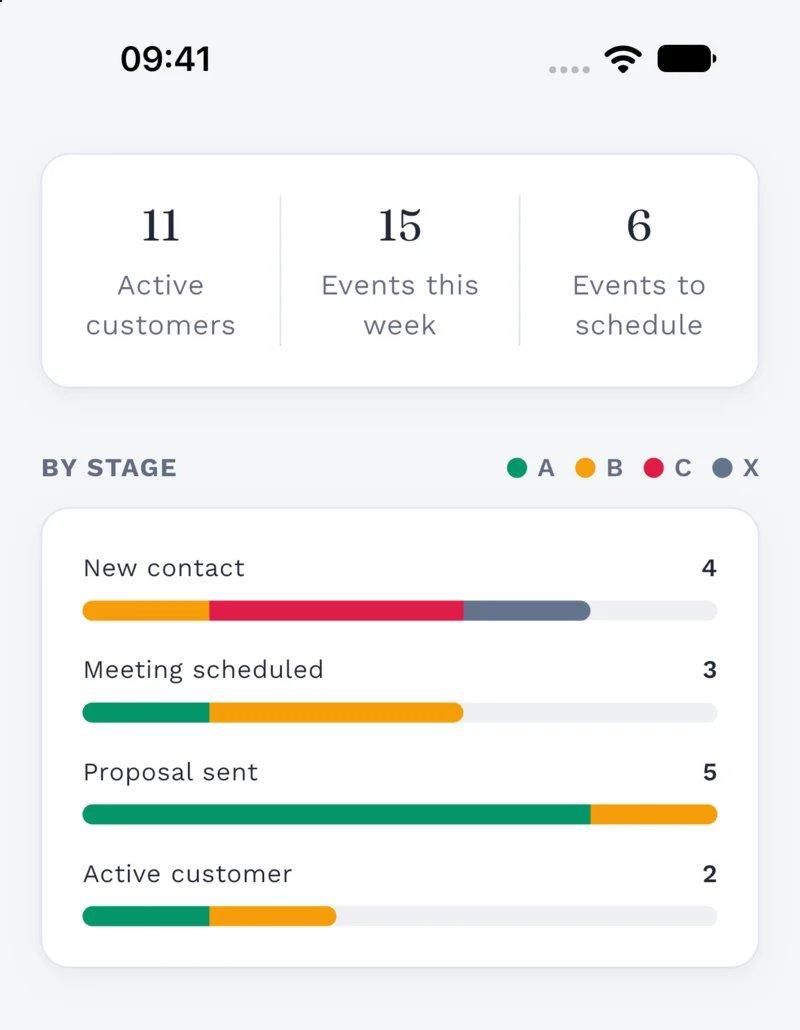
Clilot screenshot with demo data. You choose your own customer stages.
Set up customer stages and titles for your calls, meetings and tasks. Choose a title and Clilot can fill in its usual duration too.
Subscribe to your Clilot calendar to view your events outside the app. It updates automatically; make any changes in Clilot.
Request access to connect a compatible AI assistant and ask about your customers and events. You approve the connection and can revoke it whenever you like.
Request accessWhether you're self-employed, run an advisory practice or support customers through projects, start with the follow-up you need to do today.
Open Clilot in your browser or download the app. Create your account and verify your email to get started.
Save their contact details, add a note and choose a stage and priority. Adapt your stages to the way you work.
Add a call, meeting or task. Set a date, or leave it unscheduled until you know when to do it.
Independent professionals who keep in touch with customers over time: advisors, consultants and other service providers. Clilot keeps each customer's details and next appointments together, so you have the context you need when you follow up.
A calendar tells you when an appointment is. A CRM also keeps track of who the customer is, their stage and what you need to remember. In Clilot, contact details, notes and events are connected, so you don't have to look for them separately.
Yes. Create your free account in your browser and start organizing your customers. If you prefer using your phone, Clilot is also available for iPhone and Android.
Yes. Sign in with the same account on the web, iPhone or Android to access your customers, contacts and events. You'll need an internet connection to view and save your data.
Your account, customer and calendar data is stored on OVHcloud servers in the European Union. Your connection to Clilot is encrypted with HTTPS, and your password is not stored as readable text. Access to your customers and events is tied to your account.
Yes. We make automatic daily backups and keep them for one month to protect your data against accidental loss or technical problems.
Your saved Clilot data isn't tied to one device. Sign in from another phone or the web to access it again. In Settings > Sessions, you can sign out other devices. If you've forgotten your password, you can reset it by email.
Yes. Create, reorder, rename and delete your customer stages. You can also customize event titles and their usual durations.
Leave them unscheduled and add a date when you're ready. They have their own view, so they won't get lost among your calendar appointments.
You can subscribe to your Clilot events from your calendar app. The subscription updates automatically and is read-only: make changes in Clilot.
Email contact@clilot.com to request access. With your permission, a compatible assistant can read your customers, events and activity summary. It cannot create, edit or delete your data, and you can disconnect it in Settings.
Open Clilot on the web or download the app for iPhone or Android. Your customers and calendar, with the same account.